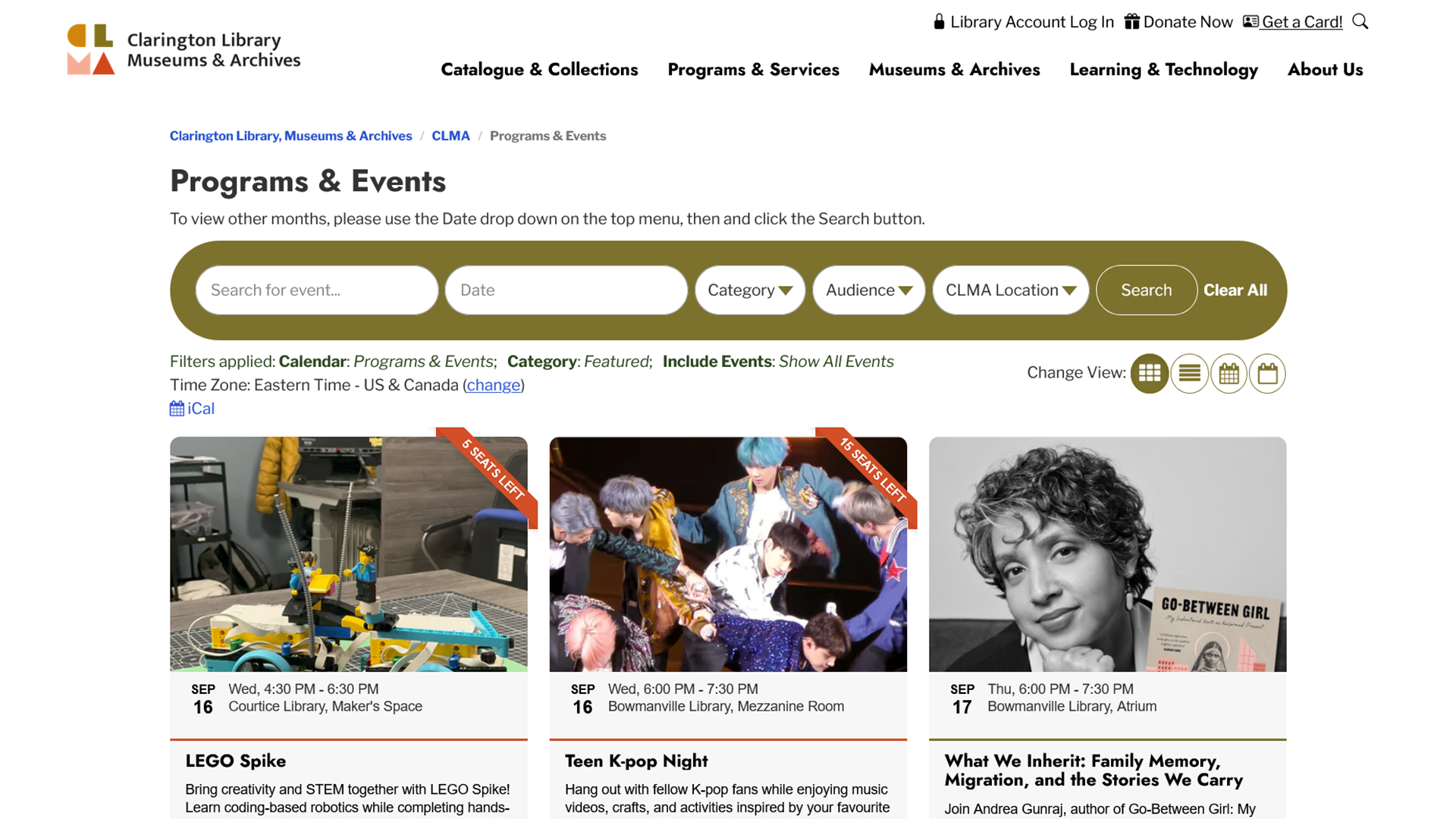
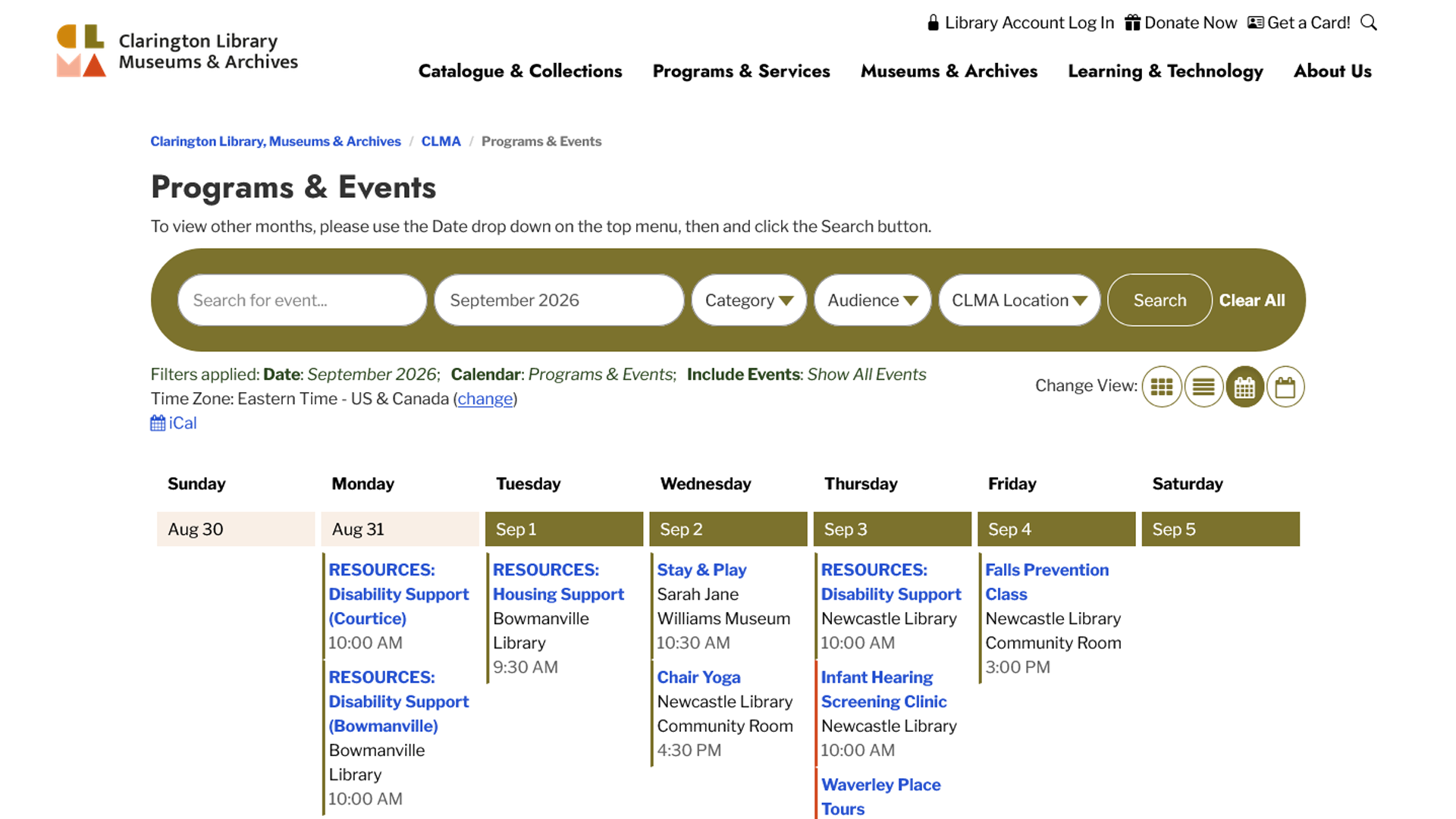
Accessing our program calendar is the same as before! Navigate to events.cplma.ca, or through the top website menu via Programs & Services > Program Calendar.
New Program Calendar, Booking Platform
Clarington Library, Museums & Archives is excited to introduce our new program calendar and resource booking system, designed to make it simpler for you to discover what's happening and connect with the services you use most.
With our new online calendar, you can:
- Browse programs and events tailored to your interests and age group;
- Easily register for CLMA programs;
- Find events happening at your preferred location.
You can also:
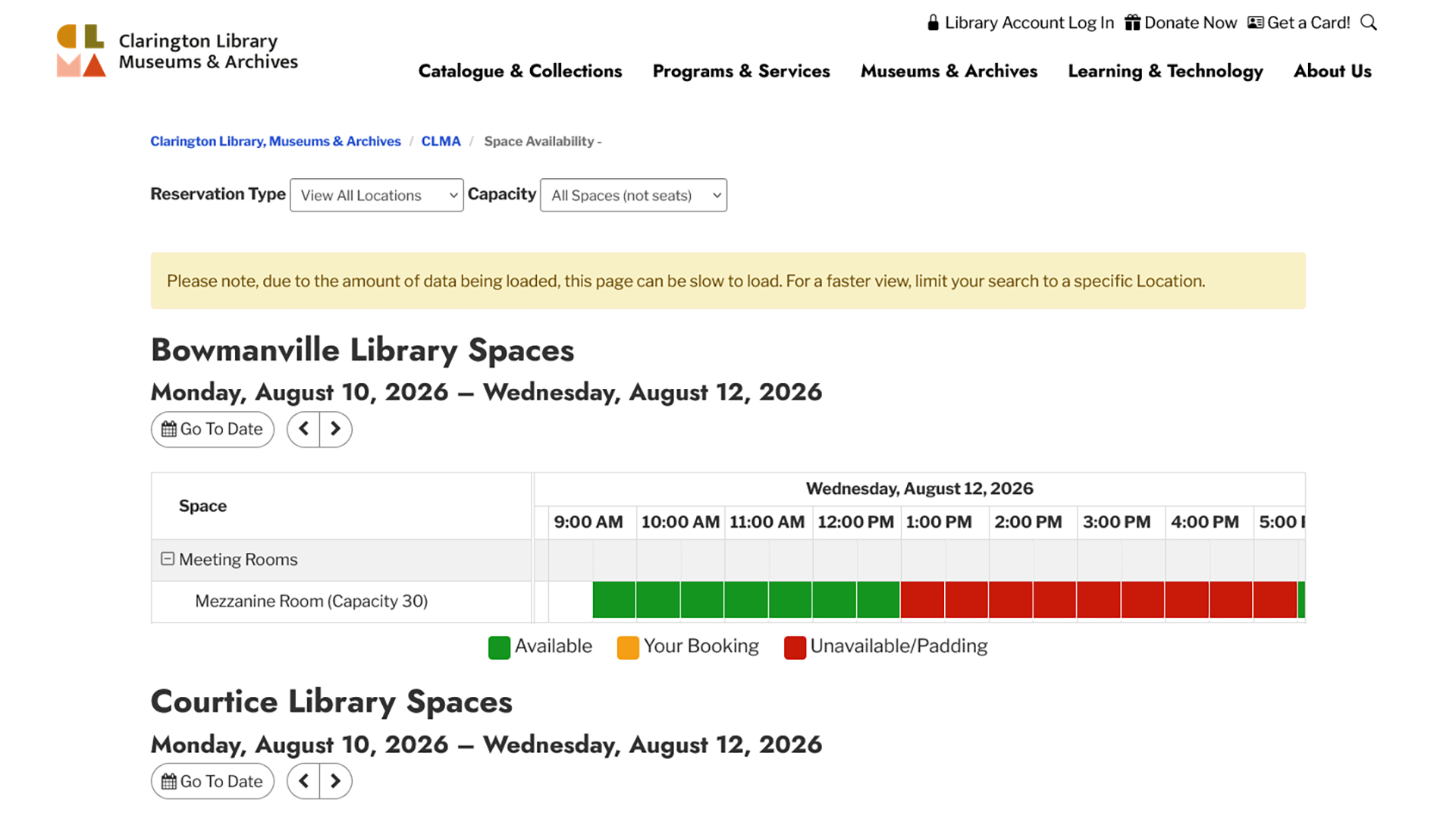
- View availability and request meeting rooms online;
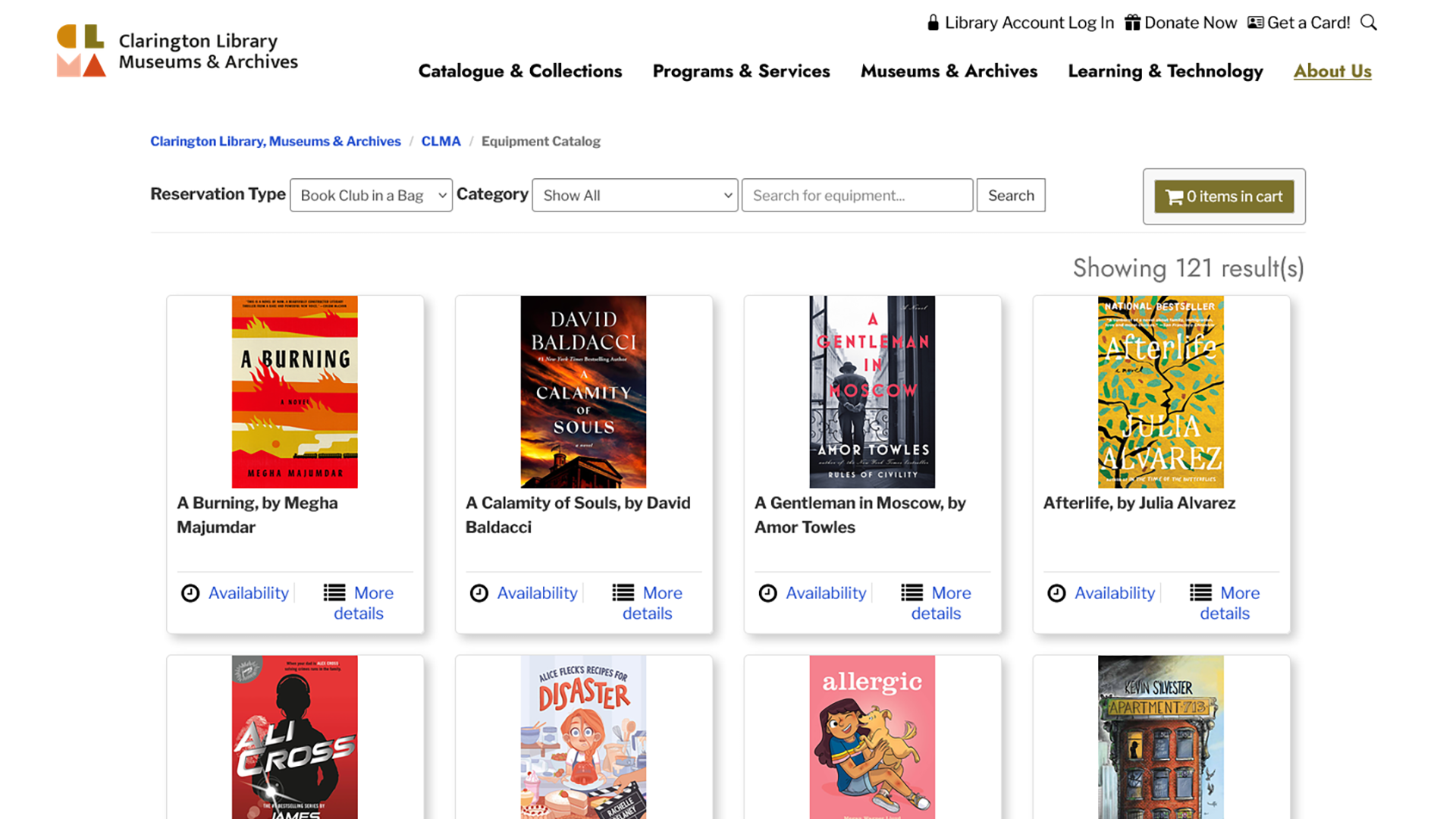
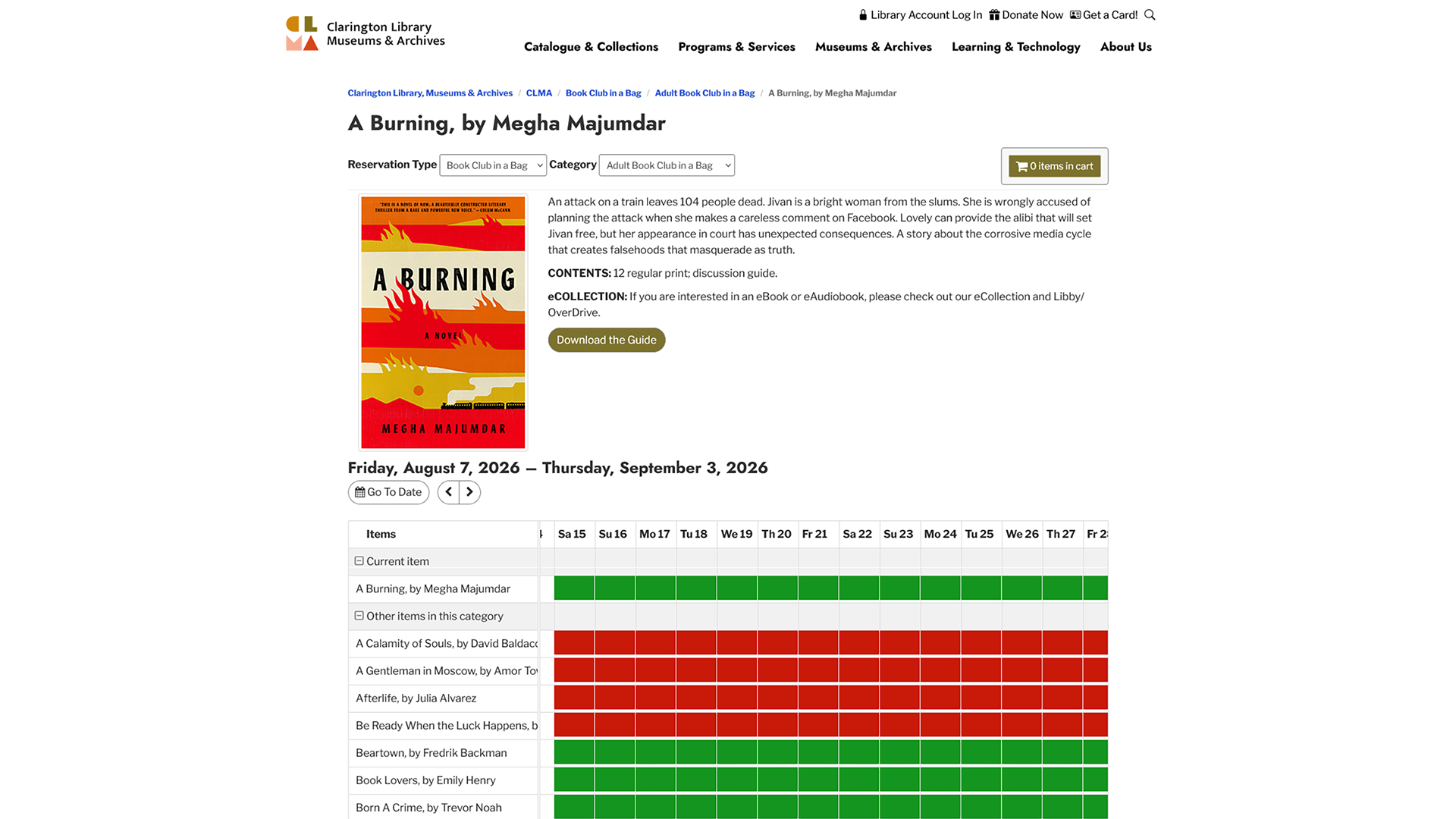
- Browse and reserve Book Club in a Bag kits with just a few clicks.
Explore the new platform, or download an instructional PDF for step-by-step instructions for navigating the program calendar and registering for a program, booking a meeting room, and reserving a Book Club in a Bag kit.
Quick Links
- View our new program calendar at: events.cplma.ca
- Book a meeting room at: events.cplma.ca/allspaces
- Reserve a Book Club in a Bag kit at events.cplma.ca/reserve/bookclubinabag
FAQs
How do I view program calendars?
How do I navigate between locations and dates?
Once you’re viewing the full program calendar in monthly, weekly, day/list view, or cards, use the top green menu to navigate to a specific date, or filter by a certain location.
How do I register for a program?
Once you are viewing the details of the program you’re interested in, look for the green Begin Registration button. Clicking/tapping on that will bring up the embedded registration form.
As part of the registration process, you will have the option to pay through the secure Square payment platform. Offline payments will remain an option for customers (e.g. come into a CLMA location to pay in person, or pay over the phone with a credit card)
How do I view room availability?
- On the Room Bookings page, Select “View All Locations” at the top or the CLMA location you’re interested in
- Choose a specific date to see availability, or use the arrows to navigate to the next available time
- Green squares on the availability grid indicate times you may book. Red squares indicate times that the room is not available.
How do I submit a room booking request?
- On the Room Bookings page, select or scroll to the location you’re interested in, then click/tap on the green availability bar at the time you need (please note that a red bar indicates time that the room is not available for rent)
- Confirm your booking details are correct, click/tap the Submit Times button, and fill out your information in the booking form that appears
- The Meeting Room Clerk will reach out regarding your booking within two (2) business days
How do I view Book Club in a Bag availability?
- On the Book Club in a Bag page, you can filter Book Club kits by adult or junior titles to browse, or search for a specific author or title
- Click/tap Availability to see a colour-coded grid for the title you’re interested in
- Click/tap More Details to view that titles description and discussion guide, and the availability grid of all titles
- Green squares on the availability grid indicate titles you may book. Red squares indicate titles that are not available.
How do I submit a BCIAB request?
- After selecting the Book Club in a Bag title and time you’re interested in, click/tap the green Request and Submit button
- Log in using your CLMA library card number and PIN (last four numbers of your phone number) to complete the request
- An email will be sent to confirm your booking
Screenshots